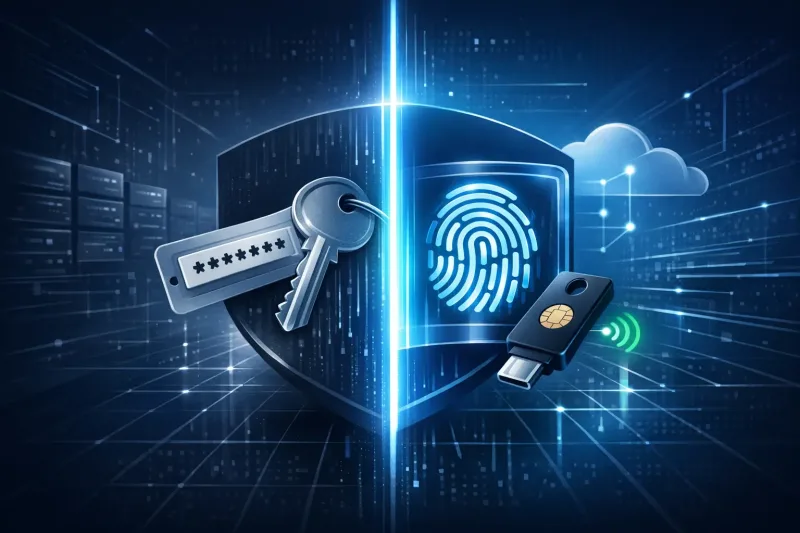


Stolen credentials remain the most common way attackers get into a business network. The 2025 Verizon Data Breach Investigations Report found stolen credentials involved in 32% of all breaches. Passwords, no matter how complex, keep failing because they can be phished, reused, and stolen at scale. Passkeys, built on the FIDO2 standard, remove the shared secret that makes phishing possible in the first place.
This article compares passkey and password authentication for small and mid-size businesses (SMBs) across healthcare, technology, and professional services. The core position: passwords alone no longer meet a defensible security bar, and the question for most organizations is not whether to move toward passkeys, but how to sequence the transition without breaking legacy systems or overwhelming an already stretched information technology (IT) team. That sequencing depends heavily on what the endpoint management and mobile device management (MDM) stack can actually support.
What Is a Passkey, and How Does the FIDO2 Standard Work?
A passkey is a credential built on the Fast IDentity Online 2 (FIDO2) standard, an open specification maintained by the FIDO Alliance. FIDO2 is an open authentication standard developed by the FIDO Alliance, and passkeys are built on FIDO2 specifications. Instead of a memorized secret transmitted to a server, a passkey uses a public-private key pair generated on the device. The private key never leaves the device or its secure hardware, so there is nothing for a phishing site to intercept or a data breach to expose in reusable form.
Passkeys can be device-bound, tied permanently to one piece of hardware, or synced across a person's devices through a platform account. Both models rely on the same underlying cryptography. They differ in how recovery and cross-device access work, and that distinction matters later when deciding which model fits which role in a company.
Adoption has moved quickly outside of large enterprises. A 2024 independent survey the FIDO Alliance commissioned found 53% of people had enabled passkeys on at least one account, with 22% enabling them on every account possible. Major operating systems and browsers already support the standard natively, so the technical foundation for a business rollout generally exists before any new purchase is made.
Passkey vs Password: Where Phishing Resistance Makes the Difference
The password vs passkey comparison ultimately comes down to what each credential can be tricked into revealing. A password is a shared secret: the same string exists on the user's side and the server's side, and a convincing fake login page can capture it directly. A passkey is bound cryptographically to the specific website or application it was created for, so it cannot be entered on a lookalike domain even if an employee is fooled by the page itself.
Federal guidance has caught up with this distinction. Under NIST Special Publication 800-63-4, applications assessed at Authenticator Assurance Level 2 (AAL2) must offer a phishing-resistant authentication option. The National Institute of Standards and Technology (NIST) has also issued interim guidance recognizing passkeys as meeting that bar: its supplement on syncable authenticators, including FIDO passkeys, is aimed at agencies seeking to use them. It notes that when implemented correctly, syncable authenticators offer phishing resistance along with simplified recovery and cross-device support.
The Cybersecurity and Infrastructure Security Agency (CISA) has taken a similar position for the software industry broadly. CISA's Secure by Demand Guide poses a direct question to software vendors. It asks whether the manufacturer enables multi-factor authentication or other phishing-resistant methods, such as passkeys, by default and at no additional cost. For a business evaluating vendors or planning internal authentication, that guidance offers a useful procurement checklist, not just a government policy footnote.
Is Switching to Passkeys Worth It for a Small or Mid-Size Business?
For most SMBs, the answer is yes, though the pace of adoption should match the complexity of the environment. Some companies run mostly modern cloud applications, such as software as a service (SaaS) tools with native single sign-on (SSO) support. These organizations can often move most accounts to passkeys within a few months. A company with older on-premises software, custom applications, or heavy reliance on shared accounts faces a longer runway.
The business case rests on reduced incident response cost and reduced audit friction as much as on the technology itself. Compliance frameworks relevant to healthcare, SaaS, and defense-adjacent businesses increasingly expect organizations to demonstrate strong authentication controls. Passkeys provide a cleaner answer during an assessment than a password policy paired with add-on multi-factor authentication (MFA).
The transition rarely happens all at once. A more realistic path involves:
- Starting with privileged accounts, including administrators, finance staff, and anyone with access to sensitive systems
- Extending to standard employee accounts once help desk and recovery processes are tested
- Addressing legacy or third-party applications that cannot yet support FIDO2 through compensating controls
- Retiring password-only fallback options once adoption reaches a workable threshold
Deployment Considerations Before Rolling Out Passkeys
A passkey rollout touches identity management, device management, and end user support at the same time. Planning across all three areas prevents the rollout from stalling midway. A few considerations tend to surface repeatedly during SMB deployments.
Recovery planning deserves early attention. If an employee loses a device, the organization needs a process for re-enrolling a new one. That process must avoid falling back to a phishable method, such as a support-desk password reset over the phone. Device diversity is another factor. A workforce mixing multiple device types needs a policy for which devices can hold which kind of passkey, including:
- Company-owned laptops
- Personal phones
- Shared workstations
Legacy application compatibility often becomes the longest pole in the tent. Applications that authenticate through older protocols may need an identity provider that bridges FIDO2 support to systems that cannot natively consume it. None of these issues are reasons to avoid the transition. Each one needs a documented answer before broad rollout, rather than a reactive fix after the first locked-out employee calls the help desk.
What Endpoint Management and MDM Tools Need to Support
Endpoint management and mobile device management software sit at the center of a workable passkey rollout because they control how credentials are provisioned, backed up, and revoked across a fleet of devices. Buying decisions for MDM platforms should weigh a specific set of capabilities rather than treating passkey support as a checkbox.
An MDM solution suited to a passkey transition generally needs to:
- Enforce biometric or device-unlock requirements before a passkey can be used, so a stolen but unlocked device does not become a bypass
- Support platform-native passkey sync across the operating systems the organization actually uses, since Apple, Google, and Microsoft each manage sync differently
- Provide remote wipe and de-provisioning that reliably revokes passkeys tied to a departing employee's device
- Give visibility into which devices are enrolled and which are unmanaged
- Integrate with the identity provider so authentication policy and device compliance can be enforced together rather than as separate systems
Verizon's 2025 DBIR found that 46% of compromised systems with corporate logins in stolen credential data were non-managed devices. These were often tied to a bring-your-own-device (BYOD) program or to company devices used outside policy.
That last point matters more than it first appears. A device can meet every MDM compliance check and still authenticate through a weak password if the organization has not linked identity and device management. Mobile device management solutions that unify both layers give an IT manager a single view. From that view, an IT manager can see whether an authentication method matches the risk of the device and user attempting to log in.
Cloud Security Best Practices During the Transition
Passkeys strengthen the login step, but a full security posture still depends on cloud security best practices applied around that login. A stolen session token or a misconfigured cloud storage bucket bypasses authentication entirely. Passkey adoption should run alongside broader controls rather than replace them, including:
- Least-privilege access
- Continuous logging
- Regular configuration review
Session management deserves particular attention once passwords are phased out. An attacker who compromises a browser session through malware does not need a password or a passkey, since the session is already authenticated. Closing that gap requires pairing passkey adoption with additional session controls, including:
- Shorter session lifetimes
- Conditional access rules
- Continuous monitoring
Moving From Password Policy to Passkey Strategy
The direction of authentication is set: passwords alone cannot meet the phishing-resistance bar that regulators, cyber insurers, and attackers themselves have already established. The remaining work for most SMBs is sequencing the transition correctly, choosing device and identity tools that support FIDO2 cleanly, and closing the gaps that legacy applications and unmanaged devices leave behind. Getting that sequencing right the first time avoids the disruption of a rushed rollout or a half-finished one.
Planet 9 is a Bay Area cybersecurity consulting firm specializing in SOC 2, HIPAA, and CMMC readiness for SMBs in healthcare, SaaS, and technology. Our vCISOs and compliance managers help organizations choose the right approach, configure GRC tools if needed, and get audit-ready without wasted time.